AI-Powered Channels
Collaboration & Sharing
Written By Katja Danilina
Last updated 9 months ago
Create dedicated channels where team members collaborate together and easy use powerful AI tools
What are Channels?
Channels in Mantle Chat are shared chat rooms for team discussions where you can bring AI into the conversation at any time. You can organize them by topic, team, project, or purpose—similar to channels in Slack or Discord.
Channels help teams stay organized, brainstorm together, and get instant AI assistance right in the chat. Everyone in the channel can see the messages and use AI tools whenever help is needed.
What can you do in a Channel
Work together in one place: Everyone can join the same discussion;
Call AI when you need it: Mention models @GPT’, @Claude, @Gemini, or your custom assistant;
Keep context: AI answers stay in the channel so the whole team can reuse them;
Move faster: Live updates, reactions, edits, files, and web search with sources;
Stay organized: Clear names, descriptions, folders, and archiving
How AI Works in Channels
Just @mention an AI to get help. Type @Claude, @GPT, @Gemini, or any other model in your message. The AI sees what everyone has been talking about and replies right in the chat. Your team can then ask follow-up questions, build on the AI's ideas, or try a different AI model for another opinion. Everything stays in one conversation that everyone can see and search.
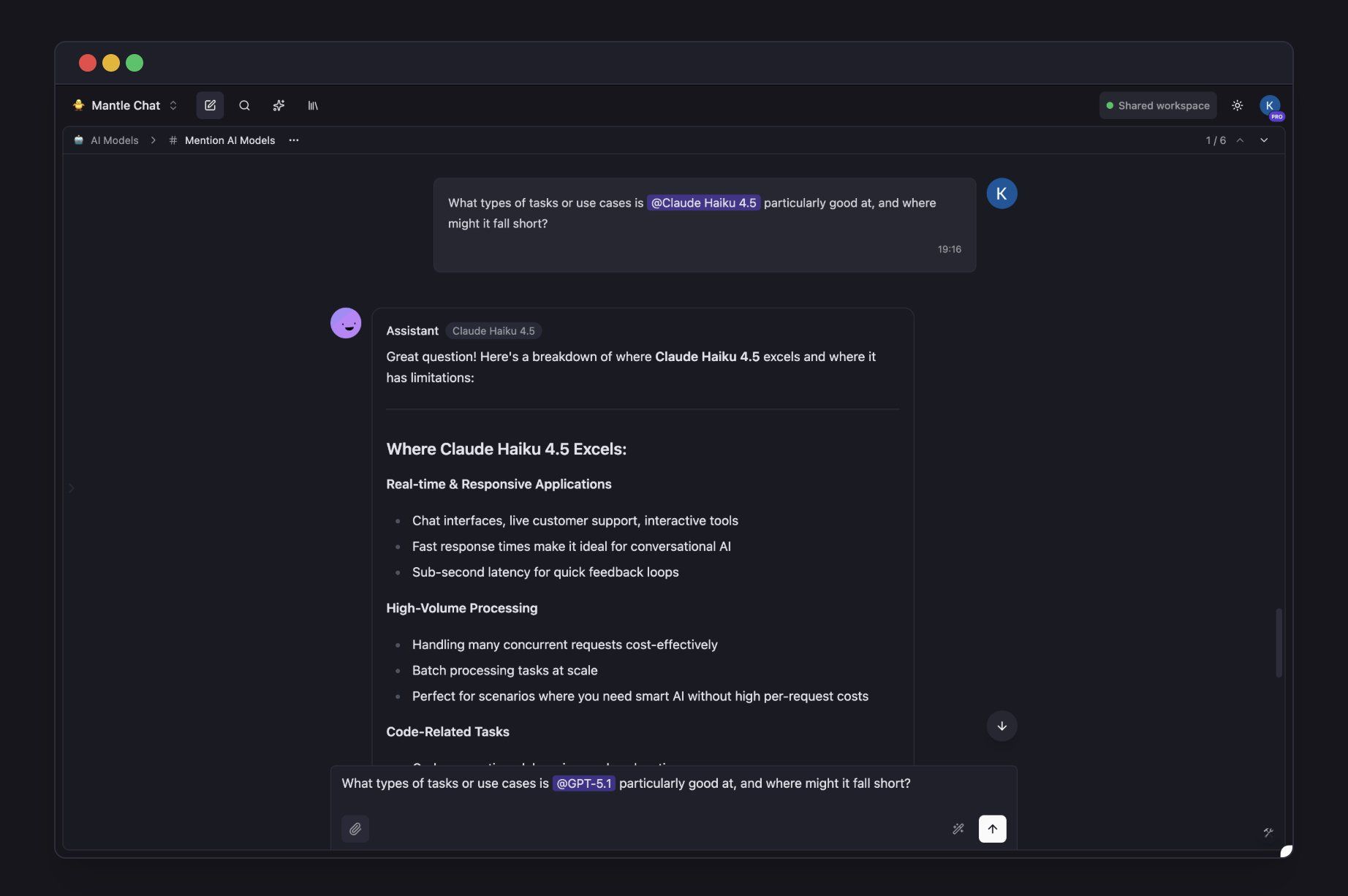
You can also @mention custom AI assistants. If your team has created assistants with special instructions or knowledge bases, mention them in channels too. For example, @ProductExpert or @CodeReviewer can join the conversation and help with their specific expertise.
Organize Channels Your Way
Create channels for anything your team works on. Some ideas:
#product-ideas — Brainstorm new features with AI help
#code-review — Discuss code changes with your team and AI
#customer-feedback — Let AI help analyze what customers are saying
Each channel belongs to a workspace and keeps its own chat history, so conversations stay focused and easy to find.
Real-time Team Features
Stay in sync with your team. Channels include:
See when teammates are typing
React to messages with emoji
Track unread messages across all channels
Search past conversations
Coming soon: Notifications, branching off a chats, and pinned messages.
Multiple AI models in one workspace. Chat, collaborate, share.
Was this helpful?
Still need help? Ask the team